Riff Raiders
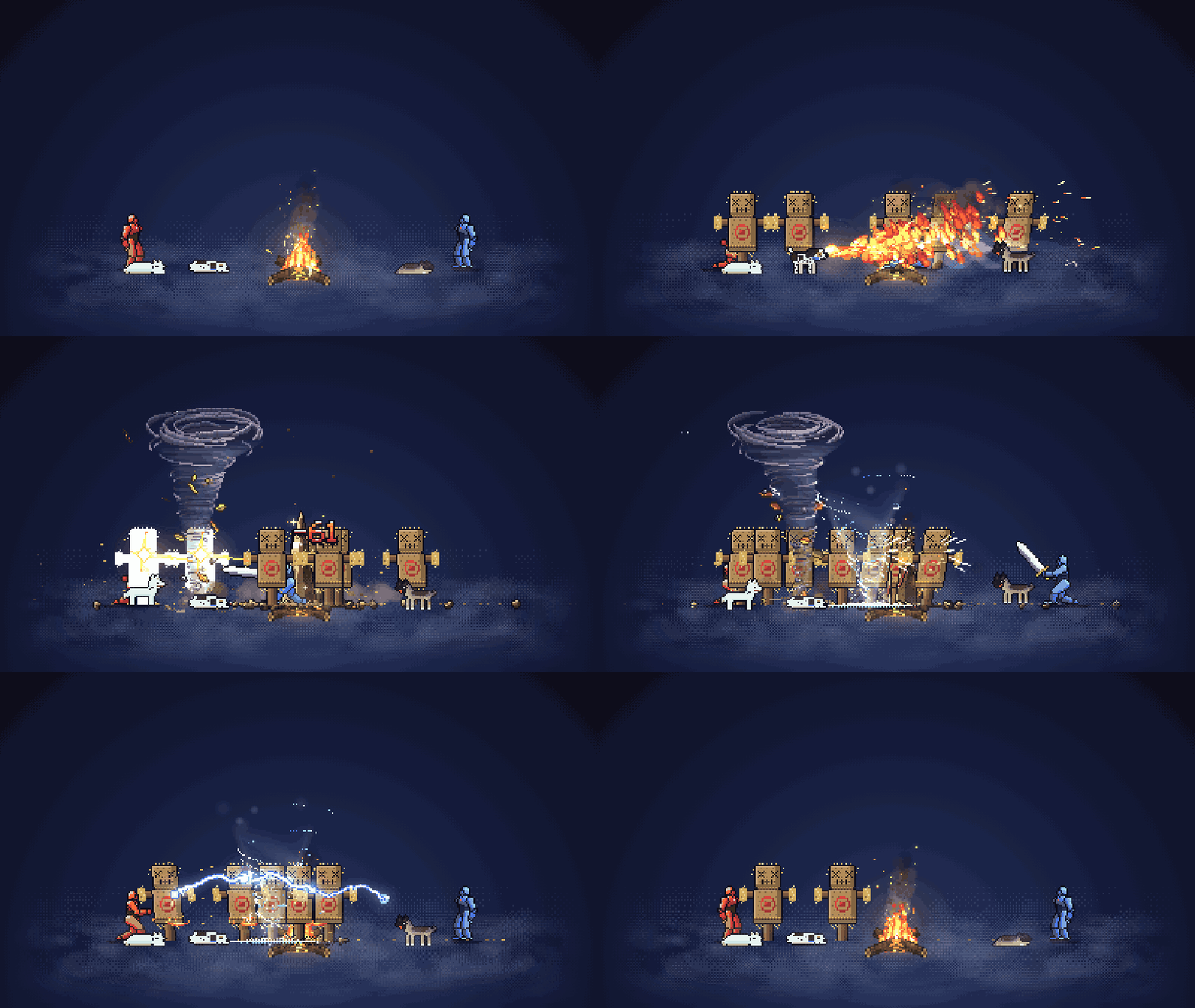
A tiny pixel war party that camps and adventures along the edge of your Mac desktop, fighting to whatever music you play.
Free. macOS 15 or newer, Apple silicon. About 2 MB. Unsigned, so macOS warns you once.
What it does
Hears your music
Listens to whatever your Mac is playing (Spotify, YouTube, anything). No microphone, no extra drivers.
Fights on the beat
Kicks bring ground slams, snares bring sword strikes, and a big drop makes everyone unleash their best move at once.
Two modes
Campfire: the party hangs around the fire and spars. Walk: they travel through forest, meadow, snow and aurora nights, speeding up with the tempo.
Feel the beat
Everyone bobs in time, kicks thump the ground, and the fire and sky pulse with the music.
Stays out of the way
Lives in a corner or a strip along the bottom. Clicks pass straight through, it fades when you hover, and Option-drag moves it.
Pets join the party
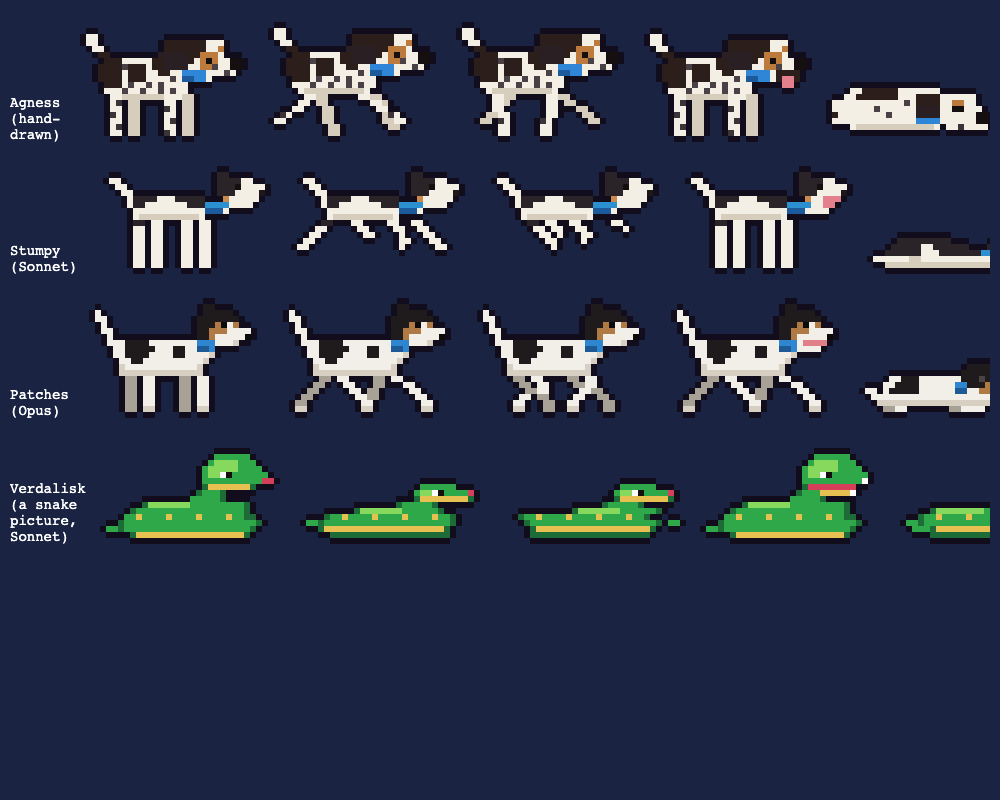
Agness the dog comes standard, with Pounce Bite, Zoomies and Bark Blast. Add your own pets too.
Turn your pet into a fighter
Pick a photo of your dog (or cat, or snake) and Riff Raiders asks Claude to draw it as a pixel sprite in about a minute. Name it, give it up to four moves (fire breath, tornado, chain lightning, blizzard and about twenty more), and it joins the party. Up to three companions at once.
Needs Claude Code signed in on your Mac. Your photo is shrunk, stripped of location data, sent only to Claude through your own Claude Code account, then deleted.
See it with sound
Install
- Download RiffRaiders.zip above and double-click it. Drag Riff Raiders into your Applications folder.
- Double-click it once. macOS blocks it, because it isn't from the App Store and isn't signed by Apple. Close the warning, go to System Settings > Privacy & Security, scroll down and click Open Anyway. You only do this once.
- When it asks for System Audio Recording, click Allow. That's how it hears your music.
- Play a song. Find Riff Raiders in your menu bar to pick a mode, size, intensity and number of warriors.
If macOS says "Riff Raiders is damaged" instead, open Terminal, run xattr -dr com.apple.quarantine "/Applications/Riff Raiders.app", then open it again.